

About This File
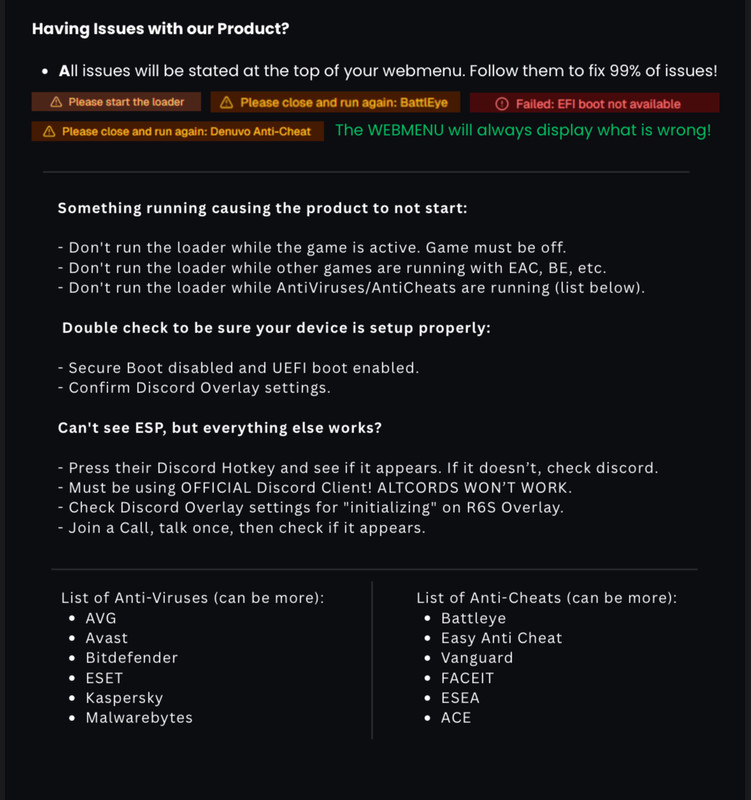
1. Secure Boot must be Disabled in the BIOS.
2. Use UEFI Boot instead of Legacy (if not already).
3. Disable ALL Anti-Viruses & Anti-Cheats (list below)
4. Use Default Discord Client! Altcords will NOT work!
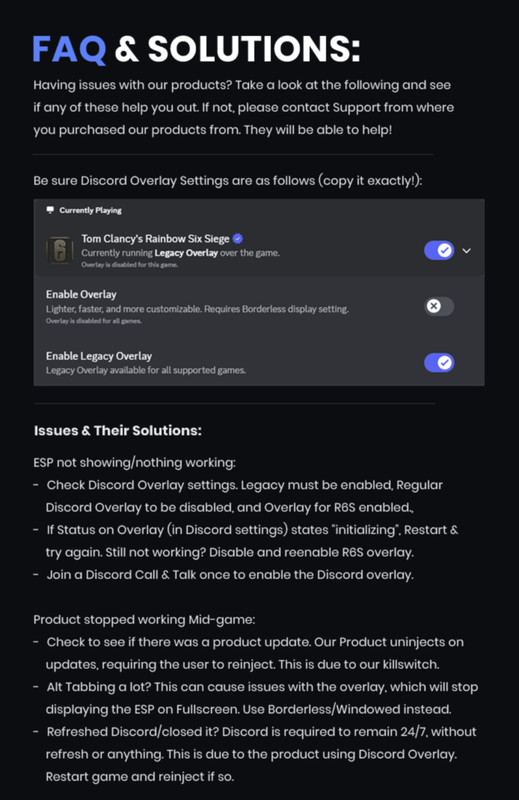
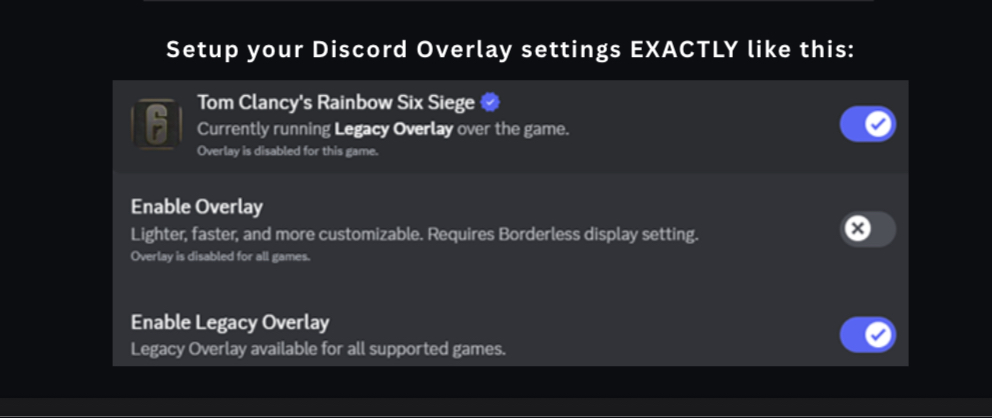
5. In Discord Overlay, Enable “Enable Legacy Game Overlay”
6. In Discord Overlay, Enable Overlay for Tom Clancy’s R6S.
- Be sure it doesn’t state “initializing” when enter the game!
7. In Discord Overlay, Disable “Enable Game Overlay”
DEFAULT DISCORD CLIENT IS REQUIRED. IT WILL NOT WORK WITH ALTCORDS.
Go to https://myloader.cc/ & enter your License Key to download your Unique Loader.
- Disable Adblockers if you have any issues downloading/use a VPN.
2. Once downloaded, be sure the Game & Anticheat are fully closed. Run our Loader after.
- Your computer will restart automatically in order to install our Bypass.
3. Once your computer has restarted, go to https://myloader.cc/ once more and download another unique Loader. Run it and start your Game when it asks.
4. You are good to go now. You can now start enjoying our Product!
Web menu:
1. Once Injected, access your Menu by going to https://myloader.cc/ & clicking “Menu”
2. All changes are visible live in-game. Enjoy full customization of all options/features!
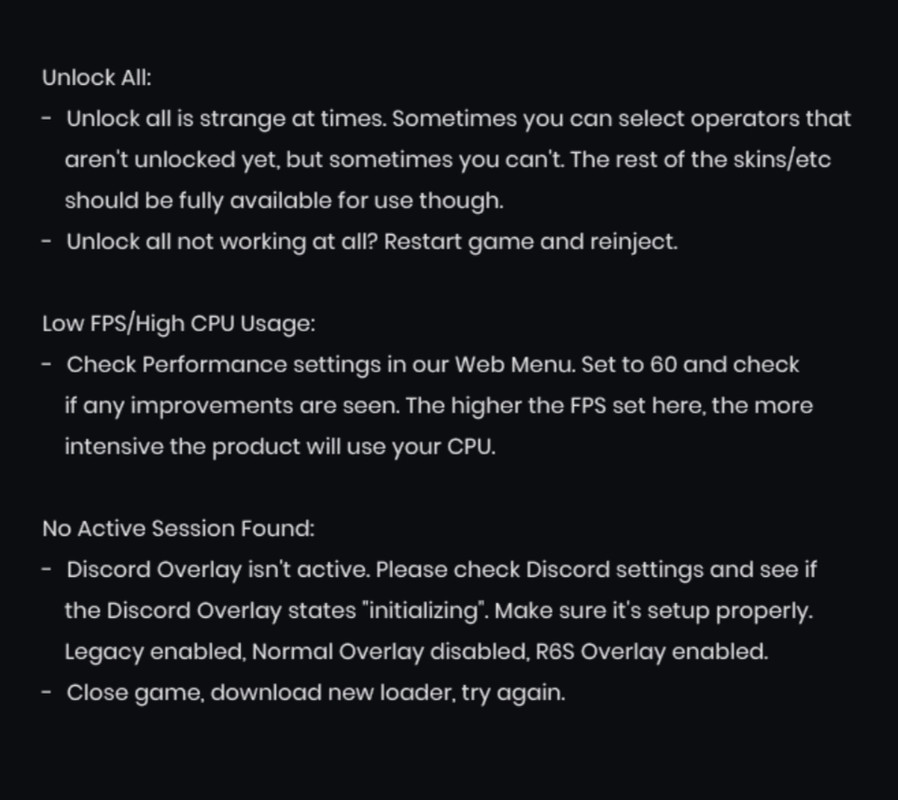
3. Any issues with FPS, be sure to lower the FPS in the “Performance” tab.
4. The higher the FPS set, the more CPU the product requires to operat